
Show Cerenity what you have
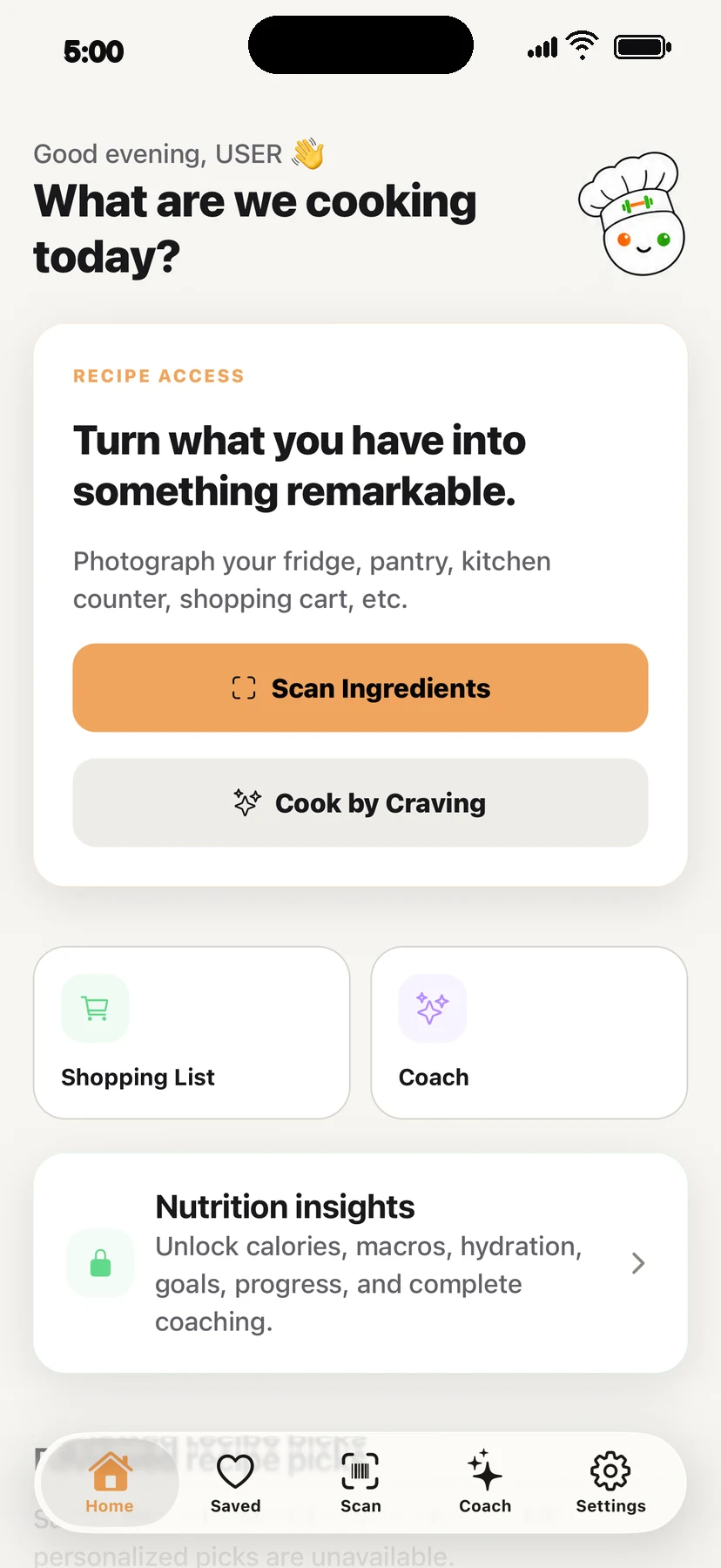
Photograph visible ingredients or choose an image, then rename, add, remove, or adjust what was detected.
Cerenity Recipe
Turn ingredients or a craving into a personalized recipe, then shop, cook, save, and share without losing momentum.
Join the beta list Founding Beta — first 500 members. Free to join. Get beta and release updates by email.
How it works
Photograph visible ingredients or choose an image, then rename, add, remove, or adjust what was detected.
Use reviewed ingredients—or describe a craving—with cuisines, skill, household, dietary restrictions, dislikes, and preferred foods in mind.
Adjust servings, save or share, add ingredients to shopping, and follow resumable cooking steps with a timer.
What’s included
From deciding what to make to returning to a paused cooking session.
Saved allergies and restrictions are used as recipe exclusions, but Cerenity cannot certify labels, kitchens, suppliers, hidden ingredients, or cross-contact. Always verify suitability yourself.